Supercharge your keyboard
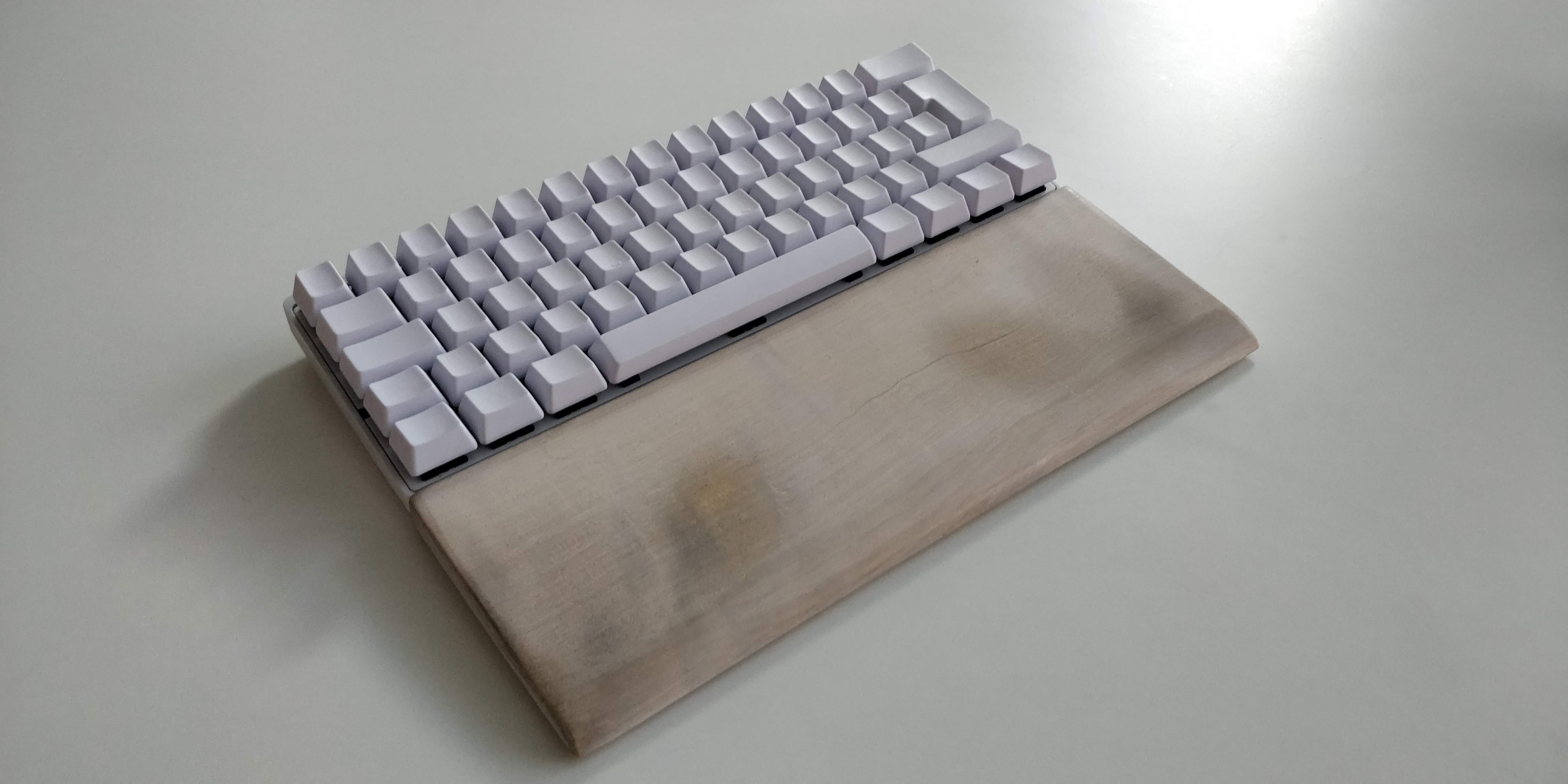
I am using a modified keyboard layout and I think that it's great. Compared to a standard keyboard layout, it has made me a faster and more effective typer, but also helped in my problems with my sore wrists and elbow after long sessions at my desk and laptop. (That developers for some odd reason tend to have 🤔).
It all started a couple of years ago when I was shopping for a new keyboard as my old mechanical was starting to literally break down. While searching for a new board I stumbled upon this Vortex Pok3r keyboard that looked really cool. But it had no arrow keys?! What? I started to investigate and it turned out that the board is a 60% keyboard (it has about 60% the amount of keys as a normal full size keyboard has). It has a special feature that enables to have layers. By holding down a function key, the keyboard's layout changes and some keys get a new meaning (more about that later). I ended up bying that keyboard and I am really glad I did!
The keyboard above in the first picture ☝🏻 is my Vortex Poker and that is my second Poker keyboard. It has custom blank keycaps and the wooden handwrist is handmade by me. Actually I fell so in love with the keyboard that I bought another one of them so that I can have one keyboard at home and another one at work. However, the keyboard is small, so it could be carried around wherever you go.
The benefits ✅ of having a 60% keyboard are that you will be a more productive and faster typer. Your ergonomics will also be better as there is less required handmovement when reaching for all the keys.
 Image: typing.academy
The ten finger system ✋🏻🤚🏻 is really beneficial and has helped me a lot in speeding up my typing. In this system each individual key on the keyboard should be pressed with a specific finger. The system utilizes all the fingers and therefore there is less hand movement required to be able to press each key.
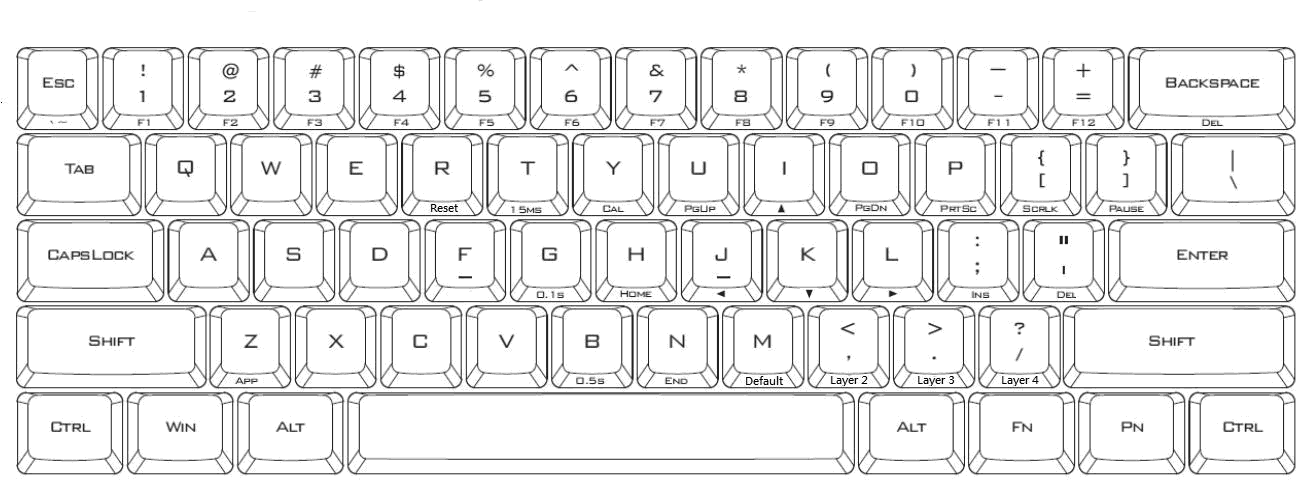 Image: xahlee.info
The caps lock key is in my opinion unnecessary, and therefore I see that there can be better use to it. In my version of the Poker layout, the caps lock key becomes the function key. Holding that down results in that a lot of the keys on the keyboard becomes a new key. Most importantly, the i, j, k, and l becomes the arrow keys. Because in the ten finger system, one is supposed to have the fingers at this position already when typing, the change from "typing" mode to "arrow key" mode is really subtle. Just by moving the left pinky one key to the left I have all the necessary keys right under my right hand where it already is. The image above shows the function layer of the Poker. The labels on the bottom side of the keycaps shows what the key is on the function layer. As you can see there are many keys that are moved closer to the home row.
Vim is also one popular option to speed up typing. However, Vim is an editor. I want the same key combinations and speed everywhere as for example in the browser.
I am also using this same layout on my laptop's keyboard. For that I am using Karabiner-Elements on my mac. I have also created an Autohotkey script for windows. I have published scripts for both MacOS and Windows. This helps a lot if I am working on my directly e.g. in a coffee shop.
Finally, if you think that the new MacBook touchbar is just a gimmick, the Poker layout will move the esc up to the top left corner of the keyboard. This way you will be able to find it without needing to look down at your keyboard.
The only downside with this layout is that I tend to start TO SHOUT ON EVERYONE ELSE'S COMPUTER?!? - oh I the caps lock actually does what it is supposed to do...